Palistor — open-source MVVM framework for React
An open-source MVVM framework for React. Screen behaviour goes into a config, data stays behind a resolver, and JSX is left as a thin rendering layer. Battle-tested in production on pali.rent and kvartly.com; the public API is still tightening up — versions 0.0.x.
MIT · React 19 · TypeScript
In production
- pali.rent — fleet-management SaaS
- kvartly.com — real estate marketplace and listing management SaaS
Three layers
Most React screens tangle three unrelated concerns inside one component: how the screen behaves, where its data comes from and how it looks. As the screen grows they braid together until any change touches everything. Palistor pulls them apart.
01View — rendering only
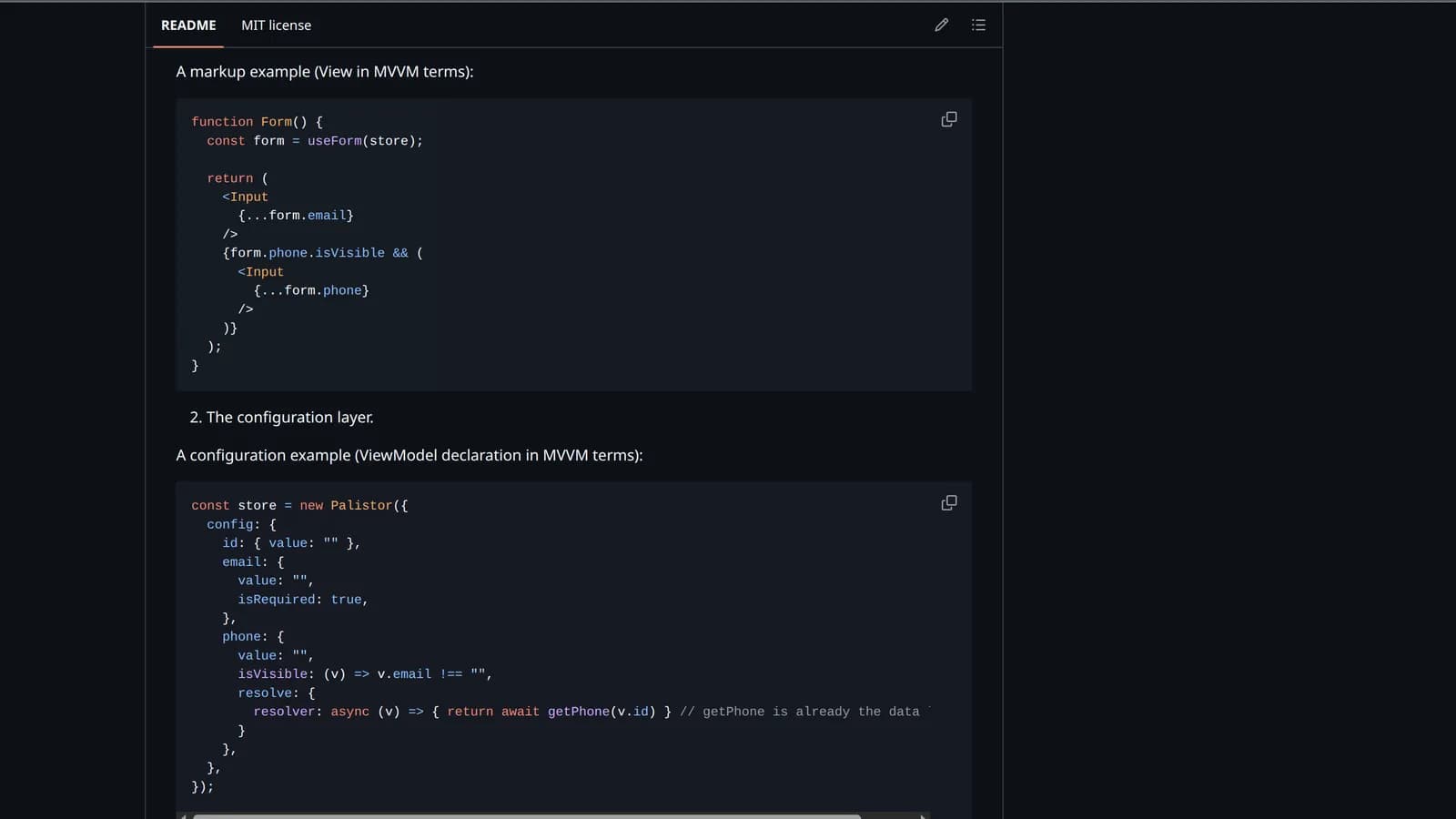
The JSX layer with everything but rendering stripped out: markup, layout and styles. A component reads field state and spreads it into your inputs. It is primitive enough that there is nowhere left to make a mistake.
function Form() {
  const form = useForm(store);

  return (
    <>
      <Input {...form.email} />
      {form.phone.isVisible && <Input {...form.phone} />}
    </>
  );
}02ViewModel — the config
One tree describes values, validation, visibility, cross-field rules and lifecycle callbacks. No useEffect, no custom hooks, no context: the necessary complexity is pulled into a single object you can read top to bottom — and, unlike a tree of hooks, review in one pass.
const store = new Palistor({
  config: {
    id: { value: "" },
    email: {
      value: "",
      isRequired: true,
    },
    phone: {
      value: "",
      isVisible: (v) => v.email !== "",
      resolve: {
        // getPhone is already the data layer.
        resolver: async (v) => { return await getPhone(v.id) }
      }
    },
  },
});03Model — the data layer
Fetching and sending data stays outside Palistor: a plain fetch, a caching layer or a full offline layer — whatever you plug in through resolve. Palistor defines the interface to it, not the implementation, and caches what a resolver returns so the same data is not fetched twice.
Quick start
npm install palistor
# peer dependency: react ^1901Describe the form
The config is declarative: field values, validation, visibility and lifecycle callbacks live in one tree. Create the store at module level.
import { Palistor } from "palistor";

export const paymentStore = new Palistor({
  config: {
    paymentType: {
      value: "card",
      label: "Payment method",
    },
    cardNumber: {
      value: "",
      label: "Card number",
      placeholder: "0000 0000 0000 0000",
      isVisible: (v) => v.paymentType === "card",
      isRequired: (v) => v.paymentType === "card",
      validate: (value, v) =>
        v.paymentType === "card" && value.length < 16
          ? "Enter 16 digits"
          : undefined,
    },
    passport: {
      isVisible: (v) => v.paymentType === "bank",
      number:    { value: "", label: "Passport number", isRequired: true },
      issueDate: { value: "", label: "Issue date" },
    },
    amount: { value: 0, label: "Amount", isRequired: true },
  },
  initialValues: { paymentType: "card" },
});02Connect a component
useForm returns a typed tracking proxy. The component re-renders only when the nodes it actually read change — writing to a neighbouring field does nothing to it.
import { useForm } from "palistor";
import { paymentStore } from "./paymentStore";

function PaymentForm() {
  const form = useForm(paymentStore);

  return (
    <form onSubmit={(e) => { e.preventDefault(); paymentStore.submit(); }}>
      <Select
        value={form.paymentType.value}
        onChange={(e) => (form.paymentType.value = e.target.value)}
        label={form.paymentType.label}
      />

      {/* The config knows the Input's interface thanks to an adapter (fieldMapping) */}
      {form.cardNumber.isVisible && <Input {...form.cardNumber} />}

      {form.passport.isVisible && <PassportSection passport={form.passport} />}

      <Button type="submit" isLoading={form.submitting}>Pay</Button>
    </form>
  );
}
Features
- Granular re-renders
- A component subscribes only to the fields it read — nothing else triggers a re-render.
- Computed field state
- isVisible, isRequired, label and validation errors are recomputed automatically from the config.
- Proxy API
- Native syntax: form.email.value = x instead of dispatching actions.
- Submit pipeline
- beforeSubmit → validate → onSubmit → afterSubmit; errors surface after the first failed submit.
- Async resolvers
- Data loading with auto-tracked dependencies, retry, optimistic updates and React Suspense.
- Lists & entities
- Normalized entity registry, list proxy with add / remove / setItems, per-entity templates.
- Flows
- Step wizards via defineFlow / defineStep: navigation, branching, per-step validation.
- Persist
- Autosave to localStorage, sessionStorage or any custom driver — flow navigation included.
Where it fits
- Onboarding, KYC, verification and questionnaires — branching multi-step wizards, conditional fields, step-by-step validation.
- Checkouts and payment forms — conditional payment methods, cross-field rules, async loading.
- Configurators, calculators and CPQ — computed fields and dependencies (price × quantity → tax → total) without a single useEffect.
- CRUD entity editors and tables with inline editing — a normalized registry, list proxy, per-entity templates.
- Schema-driven forms — the config is data, so it can be generated or served from the backend, including per-region variants.
Where it doesn't
- Content sites — blogs, docs, marketing, SSG: SEO-first, static, almost no behaviour.
- Graphics, canvas and realtime rendering — games, rich-text and diagram editors, maps, heavy visualizations: the complexity lives in rendering and the model does not split into layers.
- Trivial UI — one search box, one button, a form with a couple of fields: the three-layer split is overhead that does not pay off.
- Embeddable widgets where bundle size is critical — the library is not small.
Live demo
Every example from this page runs in the playground. Each tab is a separate feature of the framework and has its own deep link.
- Quick start — conditional fields, submit pipeline, persist
- Flows — a step wizard with branching
- Lists & entities — normalized registry, list proxy, store context
- Async resolvers — data loading, retry, notifications
- Field mapping — rename props to your UI kit
In short
What is Palistor?
An open-source MVVM framework for React under the MIT licence. It splits a screen into three layers: JSX that only renders, a config that holds all behaviour — values, validation, visibility, cross-field rules — and a data layer you plug in through resolve. Instead of a tree of useEffects and custom hooks you get one flat object.
How is it different from Redux, Zustand or React Hook Form?
Those each solve one thing: global state, or form state. Palistor sets the architecture of the whole screen — behaviour, data and rendering are pulled apart on purpose. State is computed in the store, outside React's render cycle, and a component gets a signal only for the fields it actually read, so re-renders are targeted instead of cascading.
Is it used in real projects?
Yes. Palistor runs in production on pali.rent, a fleet-management SaaS, and on kvartly.com, a real estate marketplace — both are live and open to check. It is battle-tested on the author's own products, while the public API is still tightening up, which is what the 0.0.x versions say.
Why is it convenient for AI-generated code?
AI is bad at architecture but great at filling declarative slots. Palistor removes the architecture task itself: what is left is filling in a config by the rules. Reviewing generated code then means reading one flat object instead of a tree of useEffects, so there is far less room for it to fall apart.
What licence is it under and how do I install it?
MIT. Install it from the public npm registry with npm install palistor; the peer dependency is react ^19. The same package is published to GitHub Packages under the scoped name @projectint/palistor, but the canonical name is palistor.
Need a screen — or a whole product — built this way? Palistor grew out of the production of SaaS platforms we design, ship and run ourselves.